Smart thermostat settings to save money can help lower energy bills throughout the year. The right temperature schedule can reduce unnecessary heating and cooling without making your home uncomfortable.
A smart thermostat gives you more control over indoor temperatures. It can follow schedules, adjust settings when you are away, and help track energy use.
However, simply installing a smart thermostat does not guarantee savings. You also need to choose suitable temperatures and use its features correctly.
This guide explains the best smart thermostat settings for winter and summer. You will also learn practical ways to improve comfort and reduce energy waste
How Smart Thermostats Help Reduce Energy Bills
Smart thermostats control your heating and cooling systems automatically. They can adjust indoor temperatures based on your daily routine.
Many models also include features that help prevent unnecessary energy use. These features can make temperature management easier.
Common smart thermostat features include:
- Programmable schedules: Set different temperatures for different times.
- Away mode: Adjust temperatures when nobody is home.
- Learning features: Some models learn your routine over time.
- Remote control: Change settings through a smartphone app.
- Energy reports: Review heating and cooling patterns.
These features help you avoid heating or cooling an empty home. They can also make it easier to maintain comfortable temperatures.
Best Smart Thermostat Settings for Winter
Heating systems can use significant energy during cold weather. Choosing a suitable winter temperature can help control heating costs.The best setting depends on your climate, comfort, and heating system. Start with a comfortable temperature and adjust it based on your needs.
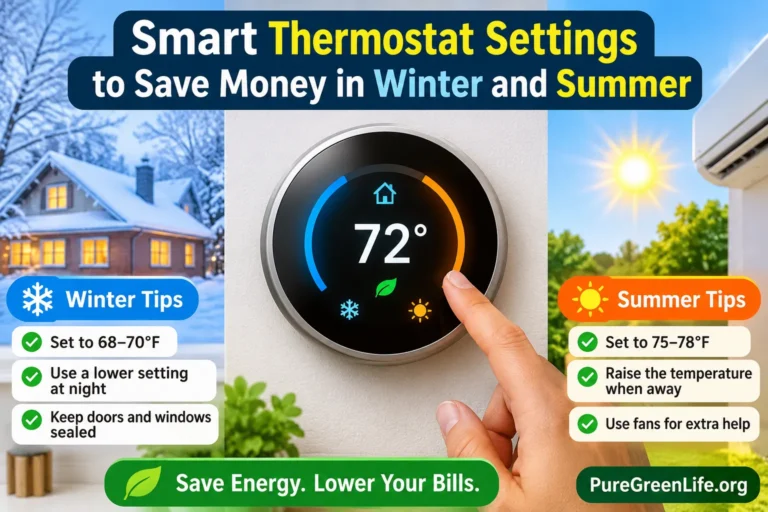
1. Set Your Winter Temperature Around 68°F
A setting near 68°F (20°C) is a common energy-saving starting point while people are awake at home. You can adjust it slightly to match your comfort.
Try these general winter settings:
- At home: Around 68°F (20°C).
- While sleeping: Lower the temperature if comfortable.
- When away: Use a lower setting to reduce heating demand.
People who are older, very young, or sensitive to cold may need warmer conditions. Always prioritize health and comfort over energy savings.
2. Lower the Temperature at Night
You usually do not need the same heating level while sleeping. A slightly lower temperature can reduce the amount of energy your heating system uses.Create a nighttime schedule through your thermostat app. Set the temperature to rise again before you normally wake up.Use comfortable bedding to stay warm overnight. Avoid settings that make your home uncomfortably cold.
3. Adjust Heating When You Are Away
Heating an empty home can waste energy. Use your thermostat’s away schedule to lower the temperature when everyone leaves.You can also use geofencing if your thermostat supports it. This feature may adjust the temperature based on your phone’s location.Do not turn heating off without considering outdoor conditions. Keep indoor temperatures safe for people, pets, plumbing, and your property.
Best Smart Thermostat Settings for Summer
Air conditioning can increase electricity use during hot weather. A suitable cooling schedule can help reduce unnecessary energy consumption.The goal is to stay comfortable without cooling your home more than necessary.
4. Set Your Summer Temperature Around 78°F
A setting near 78°F (26°C) is a common energy-saving starting point when you are home. You can choose a lower temperature if needed for comfort.
Try these general summer settings:
- At home: Around 78°F (26°C).
- While sleeping: Adjust based on comfort and humidity.
- When away: Raise the temperature to reduce cooling demand.
The ideal setting varies between homes and climates. Consider humidity, insulation, and the cooling system’s performance.
5. Raise the Temperature When You Are Away
Your home does not need the same cooling level when nobody is there. Raising the thermostat setting can reduce unnecessary air conditioning.Set an away schedule for your regular working hours. Your thermostat can then return to a comfortable setting before you arrive.Avoid setting the temperature extremely low when you return. It does not usually cool the home faster and may increase energy use.
6. Use Ceiling Fans with Your Thermostat
Ceiling fans can make a room feel cooler by moving air across your skin. This may allow you to use a slightly higher thermostat setting.Remember that fans cool people, not empty rooms. Turn them off when nobody is using the space.
Check the fan direction before each season. In summer, most ceiling fans should rotate counterclockwise when viewed from below.
Best Smart Thermostat Schedule for Every Season
A temperature schedule helps your thermostat follow your daily routine. It can reduce heating and cooling when you are asleep or away.
Here is a simple example for a household with a regular daily schedule:
| Time | Winter Setting | Summer Setting |
|---|---|---|
| Morning | 68°F | 78°F |
| Daytime away | Lower setting | Higher setting |
| Evening at home | 68°F | 78°F |
| Night | Lower if comfortable | Adjust for comfort |
These are starting points, not strict requirements. Change them according to your local weather, household needs, and HVAC system.
Smart Thermostat Features That Can Help Save Energy
Modern thermostats offer several useful tools beyond basic temperature control. Learning how to use them can make your heating and cooling schedule more efficient.
7. Use Automatic Scheduling
Automatic scheduling lets you set temperatures for different parts of the day. You do not need to change the thermostat manually every time.Create a schedule around your normal activities. Update it when your working hours or sleeping routine changes.
8. Enable Away and Eco Modes
Away and Eco modes can reduce heating or cooling when your home is empty. Some thermostats activate these settings automatically.Check the temperature limits before enabling them. Make sure they do not create unsafe indoor conditions.
9. Use Energy Reports
Some smart thermostats provide weekly or monthly energy reports. These reports can show when your heating or cooling system runs most often.Review the information regularly. Look for unusual usage patterns and adjust your schedule when needed.
10. Use Smart Sensors in Different Rooms
Some thermostats support wireless room sensors. These devices help monitor temperatures in different parts of your home.They can be useful when bedrooms and living areas have different temperatures. Place sensors in rooms where comfort matters most.Check your thermostat’s compatibility before buying additional sensors.
Common Smart Thermostat Mistakes to Avoid
Incorrect settings can reduce the benefits of a smart thermostat. Avoid these common mistakes:
- Setting extreme temperatures to heat or cool rooms faster.
- Forgetting to update schedules when routines change.
- Cooling or heating empty rooms unnecessarily.
- Ignoring dirty air filters and blocked vents.
- Using away settings that are unsuitable for pets or vulnerable people.
- Assuming every thermostat works with every heating system.
Heat pumps may need different scheduling strategies from conventional heating systems. Follow your equipment manufacturer’s guidance before making large temperature changes.
Extra Tips to Improve Home Energy Efficiency
Your thermostat is only one part of home energy management. Other improvements can help reduce heating and cooling demand.
Try these practical steps:
- Seal air leaks: Check gaps around windows and doors.
- Clean air filters: Follow the recommended replacement schedule.
- Use curtains: Block strong sunlight during hot weather.
- Improve insulation: Reduce unwanted heat loss and heat gain.
- Keep vents clear: Allow air to move freely through rooms.
- Schedule maintenance: Have heating and cooling equipment checked regularly.
These steps can help your HVAC system operate more efficiently. They may also improve indoor comfort throughout the year.
Frequently Asked Questions
What is the best thermostat setting in winter to save money?
Around 68°F (20°C) is a common starting point while you are awake at home. Lowering the temperature while sleeping or away may reduce heating use.
What is the best thermostat setting in summer?
Around 78°F (26°C) is a common starting point when you are home. Adjust it according to your comfort, humidity, and local climate.
Should I turn off my thermostat when leaving home?
Usually, adjusting the temperature is better than switching the system off completely. This helps protect your home and maintain suitable indoor conditions.
Do smart thermostats really save money?
They can help reduce energy use through schedules, away settings, and automatic adjustments. Actual savings depend on your home, climate, equipment, and how you use the thermostat.
Should I change thermostat settings every season?
Yes, seasonal schedules can help match your heating and cooling needs. Review your settings when the weather changes.
Final Thoughts
Using smart thermostat settings to save money is a practical way to manage home energy use. Small temperature adjustments can reduce unnecessary heating and cooling throughout the year.
Start with comfortable winter and summer settings. Then create schedules that match your daily routine and use features such as Away Mode and energy reports.
Remember that insulation, maintenance, and proper airflow also affect energy use. Combining these improvements can help make your home more comfortable and efficient.
Read More: For more helpful guides on smart home technology, energy efficiency, and sustainable living, visit Pure Green Life.