A sudden power outage can interrupt your daily routine without warning. It can affect your home, workplace, internet connection, and essential appliances. During these situations, getting reliable information helps you make better decisions.
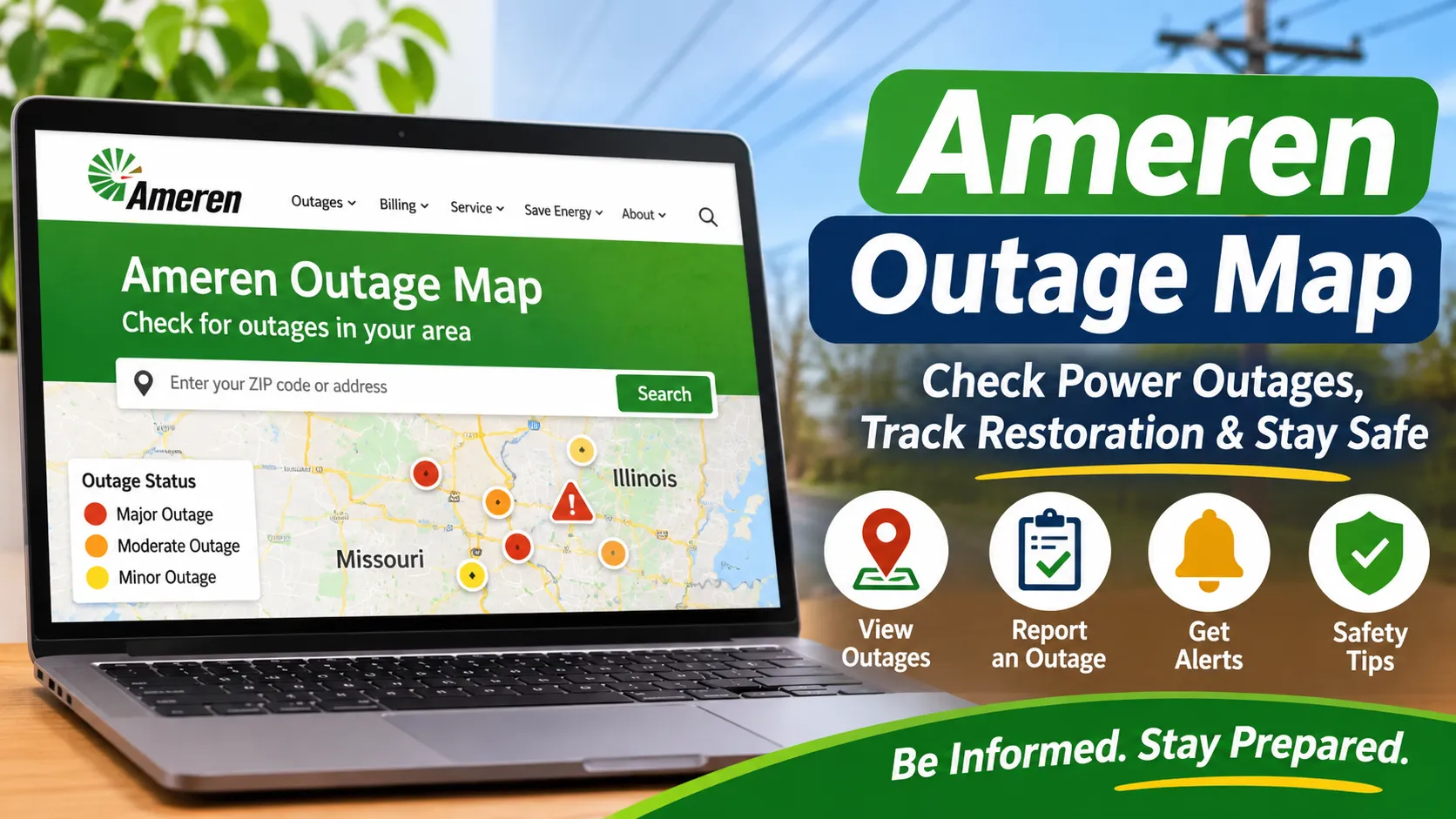
The Ameren outage map helps customers check reported power outages across parts of Illinois and Missouri. It provides information about affected areas, customers without electricity, outage causes, and estimated restoration times when available. Therefore, customers can use the map to understand what is happening in their communities.
In this guide, you will learn how to access the Ameren outage map, check local power interruptions, report an outage, and receive restoration alerts. Additionally, you will find practical safety tips for handling short and extended power cuts.
What Is the Ameren Outage Map?
The Ameren outage map is an online tool that displays reported electricity interruptions within Ameren’s service areas. It covers customers served by Ameren Illinois and Ameren Missouri. Through this map, users can check outage information without contacting customer support first.
The map uses location markers and area summaries to show where customers have lost electricity. Moreover, users can select individual outage markers to view additional details. These details may include the number of affected customers, the reported cause, and the estimated safe restoration time.
Ameren also provides an Outage Center where customers can report an interruption or check an existing outage. As a result, the map and Outage Center help customers stay informed during unexpected power problems.
How to Access and Use the Ameren Outage Map
Checking the map is straightforward. You only need an internet connection and a device such as a smartphone, tablet, or computer.
1. Visit the Official Ameren Outage Map
First, open the official Ameren Outage Map. This page displays outage information for the company’s Illinois and Missouri service areas.
You can also visit the Ameren Outage Center to report an outage or check your service status. Always use Ameren’s official website for the latest information.
2. Find Your Location
Next, use the map’s search and location tools to find your area. You can zoom in or out to explore nearby streets, towns, and counties.
The map also provides options for viewing outage information by location, state, county, or ZIP code. Therefore, you can check a specific neighborhood or get a broader view of regional outages.
3. Select an Outage Marker
Once you find your area, look for the colored outage markers. These markers represent reported interruptions and indicate the number of customers without service.
Select a marker to open its outage details. Depending on the available information, you may see the outage status, affected customers, reported cause, and estimated restoration time.
4. Check the Restoration Estimate
If Ameren has provided an estimated safe restoration time, it may appear in the outage details. This estimate helps customers plan their next steps.
However, restoration times can change as crews inspect damage and complete repairs. Severe weather, damaged equipment, and difficult working conditions may delay the process. Therefore, check the map again for updated information.
5. Report an Outage if Necessary
Sometimes, your home may lose electricity before the interruption appears on the map. In that situation, use the Ameren Outage Center to report the problem.
You can check or report an outage using your service address and phone number. Ameren also provides an option to use your account number and ZIP code. Follow the instructions on the official page to submit your information.
Important Features of the Ameren Outage Map
The map offers several useful tools that help customers understand local power interruptions. Here are some of its main features.
Customers Without Service
The map displays the number of customers currently without electricity in Ameren’s service areas. It also shows the total number of customers served by Ameren Illinois and Ameren Missouri.
These figures help users understand the wider impact of an outage. For example, a marker affecting several hundred customers may indicate a larger interruption than one affecting only a few homes.
Estimated Safe Restoration Time
An estimated safe restoration time gives customers an idea of when electricity may return. Ameren crews assess the situation and update estimates as repair work progresses.
Nevertheless, this time is not a guaranteed appointment. Unexpected damage or changing weather conditions can affect the repair schedule. For this reason, continue checking the outage details for updates.
Outage Cause and Start Time
When the information is available, the map displays the reported cause of an interruption. Common causes include storms, fallen trees, damaged equipment, animals, and vehicle accidents.
You may also find the date and time when the outage was reported. Together, these details help customers understand when the problem started and what may have caused it.
Crew Assignment Indicators
Some outage markers include a crew indicator. This means an Ameren crew has been assigned to that reported interruption.
However, an assigned crew does not necessarily mean electricity will return immediately. Workers may still need to inspect the area, identify damaged equipment, and complete necessary repairs.
Weather Radar and Map Views
The map includes tools that make it easier to explore affected areas. Users can zoom in, change map views, and select different ways to review outage information.
A weather radar option can also help users view recent weather activity. This is useful when storms may have contributed to electricity interruptions.
Outage Alerts
Customers can sign up for outage notifications through their Ameren account. These alerts may provide updates about power interruptions, restoration estimates, and outage causes.
Ameren also offers text alert registration. Customers can text REG to AMEREN (263736) to begin the registration process. Standard message and data rates may apply.
Why Should You Check the Ameren Outage Map?
The Ameren outage map is useful because it provides information in one place. Instead of relying only on neighborhood updates, customers can check reported interruptions directly through Ameren’s system.
For example, you can see whether nearby homes have also lost electricity. This helps you understand whether the problem may affect a wider area or only your property.
Additionally, restoration estimates can help you plan meals, work schedules, and other household activities. If the outage is expected to last longer, you can prepare backup lighting, charge essential devices, and protect refrigerated food.
Most importantly, the map gives customers another way to stay informed. However, it should not replace emergency instructions or direct contact with Ameren when a dangerous situation occurs.
Power Outage Safety Tips for Ameren Customers
A power interruption can become difficult when it lasts several hours. Therefore, preparing your home and knowing basic safety steps can make a significant difference.
Keep an Emergency Kit Ready
Prepare a small emergency kit before severe weather arrives. Keep it somewhere easy to reach during a power cut.
Include essential supplies such as:
- Battery-powered flashlights and extra batteries.
- A first-aid kit and necessary medications.
- Bottled drinking water and non-perishable food.
- A battery-powered or hand-crank radio.
- Fully charged power banks.
- Warm blankets and basic hygiene supplies.
Additionally, keep important phone numbers and emergency contacts somewhere accessible.
Protect Refrigerated Food
Keep refrigerator and freezer doors closed during an outage. Opening them repeatedly allows cold air to escape and makes food warm faster.
A closed refrigerator generally keeps food cold for about four hours. A full freezer can maintain its temperature for approximately 48 hours when unopened. If perishable food has remained above 40°F for more than two hours, follow food safety guidance before eating it.
Unplug Sensitive Electronics
Power may fluctuate when electricity returns. Consequently, computers, televisions, and other sensitive devices can face damage.
Unplug equipment that does not need continuous power. You can also use suitable surge protectors to reduce the risk of electrical damage.
Avoid Carbon Monoxide Exposure
Never use a gas stove, charcoal grill, or outdoor generator to heat your home. These devices can produce carbon monoxide, a dangerous gas that has no smell or color.
Always operate portable generators outdoors, at least 20 feet away from windows, doors, and other building openings. Also, keep working carbon monoxide alarms in your home.
Stay Away From Downed Power Lines
A fallen power line can remain dangerous even when it appears inactive. Never touch it or approach nearby objects that may be carrying electricity.
Keep children and pets away from the area. Instead, report the hazard to Ameren or emergency services and follow their instructions.
Backup Power Options During Extended Outages
A reliable backup power source can help keep essential equipment running during longer interruptions. However, the right option depends on your electricity needs, budget, and expected outage duration.
Portable Power Stations
Portable power stations store electricity in rechargeable batteries. They can power selected devices such as phones, laptops, LED lights, and some small appliances.
Many models also support solar charging. Therefore, compatible solar panels can recharge the battery when sunlight is available. Before buying one, check its battery capacity, continuous output, charging options, and supported appliance requirements.
Solar Battery Backup Systems
Home battery systems provide another option for customers who need more backup capacity. Depending on the system, they can support selected household circuits, refrigerators, lighting, and other essential equipment.
Some systems work with rooftop solar panels. As a result, homeowners may recharge their batteries using solar energy when the grid is unavailable. However, installation and electrical connections should be handled by qualified professionals.
Portable Generators
Fuel-powered generators can provide electricity for larger loads, depending on their rated output. Nevertheless, they require careful handling and regular maintenance.
Always operate a generator outdoors and away from doors, windows, and garages. Never connect it directly to household wiring without an approved transfer switch installed by a qualified electrician.
Frequently Asked Questions
How do I check the Ameren outage map?
Visit outagemap.ameren.com. Then, search for your area or use the map controls to view nearby outages. Select an outage marker to check available details.
How often does the Ameren outage map update?
Ameren’s outage map displays an update time and refreshes its information regularly. Its user guide describes updates approximately every six minutes, although the live map may display a different refresh interval. Check the timestamp shown on the official map for the latest update.
How do I report a power outage to Ameren?
Visit the Ameren Outage Center and follow the reporting instructions. You can use your service address and phone number or your account number and ZIP code.
What is Ameren Missouri’s outage phone number?
Ameren Missouri customers can call 1-800-552-7583 for assistance. Ameren Illinois customers can call 1-800-755-5000.
Can I receive Ameren outage alerts by text?
Yes. Ameren customers can register for text alerts by sending REG to AMEREN (263736). You can also manage available notifications through your online Ameren account.
Why is my power out when the map shows no outage?
Your interruption may not have appeared on the map yet. It could also involve a problem with your home’s electrical system. Report the outage through Ameren’s official Outage Center and check your circuit breakers if it is safe.
Conclusion
The Ameren outage map helps customers in Illinois and Missouri stay informed during electricity interruptions. It provides useful details about affected areas, outage causes, crew assignments, and estimated restoration times when available.
However, checking the map is only one part of outage preparation. Keep emergency supplies ready, protect sensitive electronics, and follow important electrical safety rules. For longer interruptions, consider a suitable backup power option for your essential devices.
By staying informed and preparing ahead, you can handle unexpected power cuts with greater confidence. For more helpful guides about solar energy, backup power, and sustainable technology, visit Pure Green Life.